Check Telenor Number by CNIC
Telenor is a popular network used in Pakistan and has more than 48 million subscribers. Many people in Pakistan forget their Telenor number, and it can cause many issues. But you can check your Telenor or any other SIM number by CNIC easily because PTA provides SIM through the NADRA biometric verification. You can check all the information about SIMs registered on your CNIC. You can check the SIM owner’s details using the SIM service tool, the 668 SMS method, and from the official PTA site. There is a complete detail on how to check the Telenor SIM owner’s details and Telenor USSD codes.
Read More: Check the Zong number on the CNIC.
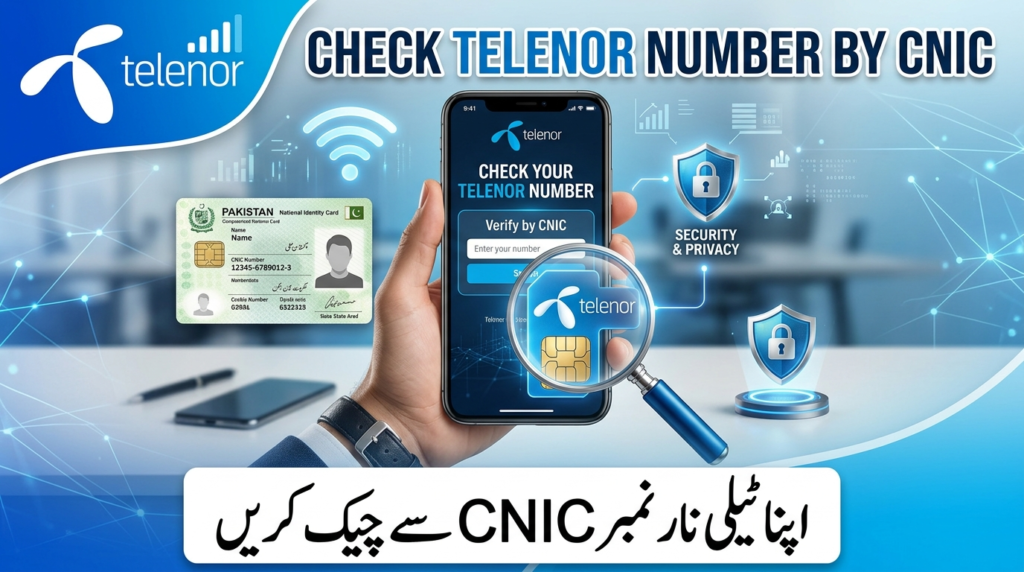
Methods to Check Telenor Number by CNIC
By following the methods, you can check the complete details of Telenor:
Use Sim Service Tool
- Open the Sim service tool
- Enter your CNIC or number
- Click the search
- Check the complete information of the SIM owner
This tool is completely free, fast, trusted, and very easy to use, and gives all the information about the SIM.
SMS Method(668)
- Open your Mobile message app
- Enter your CNIC
- Send it to 668
- View the number of SIMs registered on the CNIC.
Check Telenor Number through the official Site
- Go to the official portal of PTA
- Enter your CNIC
- Give the captcha (if required)
- Click on search
- View the complete information, such as the number of SIMs registered on the CNIC.
Using the Telenor Official App
- Download the My Telenor app
- Log in with your mobile number
- Verify the account through the OTP
- View the complete information of the SIM on the My Telenor app
Check Telenor SIM via 667 SMS
- Open the mobile message app
- Send MNP to 667
- Receive the SIM verification information
Information you will receive from this method:
- SIM verification status
- Mobile network operator
Check Telenor Number by USSD Code
- Dial the *888#
- Send to your Telenor SIM
- You will receive all the information about your SIM number and name.
This method is easy and gives very fast results.
Read More: Check Jazz Number by CNIC
Telenor USSD Codes
| Function | USSD Code |
| Main Balance Check | *444# |
| Internet MB Check | *999# |
| Remaining Minutes Check | *222# |
| SMS Balance Check | *111# |
| Active Packages | *123# |
| Advance Loan | *0# |
| Telenor Self-Service Menu | *710# |
| Check Telenor SIM Number | *888# |
| SIM Lagao Offer Check | *2222# |
Difference Between 668 and 667 SMS Service
| Feature | 668 SMS Service | 667 SMS Service |
| Purpose | Check the number of SIMs on your CNIC | Verify SIM information |
| What You Send | Your CNIC number | “MNP” |
| Information You Get | Total number of SIMs registered against your CNIC (per network) | SIM verification status and mobile network operator |
| Owner Details | Not provided | Not provided |
| Cost | Rs. 2 + tax | Rs. 2 + tax |
| Use Case | Know how many SIMs are registered on your CNIC | To check the network of the SIM |
Telenor Prefixes List 2026
| Prefix | Network |
| 0340 | Telenor |
| 0341 | Telenor |
| 0342 | Telenor |
| 0343 | Telenor |
| 0344 | Telenor |
| 0345 | Telenor |
| 0346 | Telenor |
| 0347 | Telenor |
| 0348 | Telenor |
| 0349 | Telenor |
PTA SIM Rules in 2026
| Rule | Details |
| Maximum SIMs per CNIC | 5 |
| Biometric Verification | Required |
| CNIC Required | Yes |
| Overseas Pakistanis | NICOP accepted |
| SIM Transfer | Available through franchise |
| SIM Blocking | Possible via PTA |
Common Problems While Checking Telenor Number
- CNIC not recognized
- SMS not delivered
- SIM is not registered
- Network error
Solutions:
- Try after some time
- Go to the Telenor franchise
- Contact the customer support for the helpline
Block Unauthorized Telenor SIM
Customer Support
If you have lost your SIM or face any difficulty in blocking your Telenor SIM, you can get help from the Telenor helpline 345. Call the Telenor helpline and request that they solve your issue.
Visit Telenor Franchise
- Go to the Telenor Franchise
- Must bring your original CNIC
- Request them to block your an unathorized SIM
PTA Complaint
- Open the Pakistan Telecommunication Authority official portal
- Click the Complaint option
- Enter your complaint
- Click the submit
Tips
- Never share your CNIC with strangers
- Always verify the unknown calls
- Block those SIMs that you rae
- Keep the registered SIM in your name
Conclusion
If you receive a call from an unknown Telenor number, you should check the SIM owner’s details first because it may be spam. You can verify the number details by many methods, such as from the SIM service tool, the 668 SMS method, and the official PTA portal. If you face any problem while checking the SIM owner detail you can call the Telenor helpline 345. If you have any unauthorized SIM block them at the Telenor franchise and online by calling the helpline.
FAQs
What is the USSD code to check the Telenor number?
*888# is the USSD code to check the Telenor number. You will receive the complete information about your own SIM by dialing the USSD code through your Telenor SIM.
Can I check my Telenor number from CNIC?
You can check the SIM owner’s details by sending your CNIC to 668, and you will receive information about the SIM owner.
Can I block my Telenor SIM?
Yes, you can easily block your Telenor SIMs from a Telenor franchise or by calling the Telenor helpline at 345.
Is the 668 service cost charged to provide the information?
Yes, the 668 SMS method charges Rs. 2 as a tax to provide the details, such as the number of SIMs registered on the CNIC.