Check the Number of SIMs Registered on CNIC
Many people in Pakistan do not know how many SIMs are registered on their CNIC, and this causes many problems, such as the misuse of their SIMs, theft of identity, and many unknown charges. Your SIM is directly linked to NADRA. To prevent misuse of your SIM, it’s essential to verify that your SIM is registered to your CNIC for security purposes. You can check your SIM details by CNIC using the SIM service tool and official PTA methods, such as the 668 SMS method. Below, you will get all the information that is present on how you can check your SIM information on CNIC by using the SIM service tool and official SMS method.
More: Check SIM Owner Details
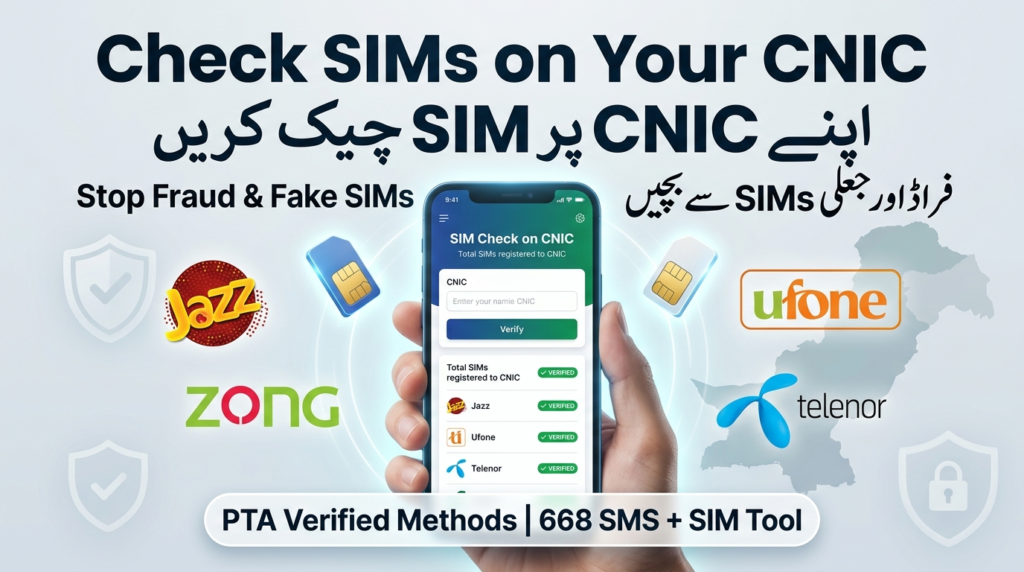
Methods to Check SIM Details
You can check your SIM’s details in many ways, as given below:
Use SIM Service Tool
- Open the SIM Service Tool
- Enter your CNIC
- Click the submit
- View all information about your SIMs, including the number of SIMs registered on CNIC and the SIM owner’s name.
This tool is trusted, fast, and very easy to use.
Check the number of SIMs by the 668 method
- Open the mobile message app
- Enter your 13-digit CNIC number
- Send your CNIC to 668
- View the number of SIMs registered on your CNIC
This method gives all the information about your SIMs registered on your CNIC, including the registration status of the SIMs.
Official Online PTA Portal
- Visit the Official PTA portal https://cnic.sims.pk/
- Enter your 13- digit CNIC
- Give the captcha
- Click the Submit
- View all SIMs registered on your CNIC
Read More: Check SIM Information Online – Complete Guide
PTA SIM Limit Rules
According to the Pakistan Telecommunication Authority rules:
- Maximum 5 number os SIMs are allowed per CNIC
- This limit applies to all the networks, such as Jazz, Telenor, Zong, and Ufone
- Exceeding the limit can cause your previous SIMs to be blocked.
| Category | Rule |
| Maximum SIMs per CNIC | 5 SIMs |
| Biometric Verification | Mandatory |
| Networks Allowed | Jazz, Zong, Ufone, Telenor |
| SIM Transfer | Requires biometric verification |
| Unauthorized SIM Block | Via franchise / PTA complaint |
Importance of SIM Ownership Verification
Identity Protection:
Checking the SIM owner details prevents your identity from being stolen. Keep your identity safe, make sure that your identity is not misused, and stay safe from financial scams.
Protection Against Fraudulent Activities:
Many fake calls from scammers cause many issues, such as hacking and misuse of your data. So it’s important to check the SIM owner’s details. SIM ownership Verification helps to avoid illegal activities and fraud risk.
Legal Safety
SIMs are directly linked to the CNIC. So, any misuse of a SIM causes various problems, and all the CNIC owners become responsible for illegal activities. So it’s very important to verify the SIM owner’s details.
Secure Financial Accounts
Banking accounts, social media, and crypto all use the mobile number for the user’s verification. So any illegal activity on your SIM can cause your SIM to be blocked.
Block SIM on your CNIC
If you have any unauthorized SIMs, you should block them first by following the steps:
Visit Network Franchise
Go to the network franchise you want to block your SIM for Jazz, Telenor, Zong, and Ufone.
Biometric Verification
Give them your Biometric verification(Fingerprint Verification).
Request to Block SIM
After the Biometric verification request to block an unauthorized SIM.
PTA Complaint
If there is any problem in blocking your SIM, you can complain to the Pakistan Telecommunication Authority (PTA).
Helpline Number of PTA
0800-55055 is the official helpline number of PTA. It is totally free of cost. You can complain at this helpline number if you face any problem with your network.
Read More: Check Telenor Number by CNIC
SIM Check Methods Comparison Table
| Method | Platform Type | Charges | Internet Required | Information Provided | Accuracy | Official Source |
| SIM Service Tool | Online | Free | Yes | Quick SIM count (user-friendly display) | High | No |
| PTA Website | Online | Free | Yes | Total SIMs (network-wise count) | 100% | Yes |
| SMS (668) | Offline | PKR 2 + Tax | No | Total SIMs (network-wise count) | 100% | Yes |
| Franchise Visit | Physical | Free | No | Full verification + SIM blocking | 100% | Yes |
| Third-Party Websites | Online | Free/Paid | Yes | Unreliable / Risky | Low | No |
Conclusion
It is important to check how many SIMs are registered on your CNIC to protect your identity, to avoid scams, and for legal safety. You can check the number of SIMs on the SIM service Tool, its give you all the information such as the total number of SIMs registered on CNIC, SIM owner name, and complete address. You can also check the SIM owner’s details at the franchise, official PTA site, and by 668 SMS method.
FAQs
How many SIMs are allowed per CNIC?
Pakistan Telecommunication Authority allows a maximum of five SIMs per CNIC for all networks.
Will unauthorized SIMs automatically be blocked on my CNIC?
Unauthorized SIMs will remain linked to your CNIC unless you block them yourself.
Can I transfer SIM ownership without biometric verification?
No, without biometric verification, you cannot transfer your SIM ownership to others.
What happens to SIMs if my CNIC expires?
Your SIMs are not blocked, but you can face service restriction problems. You will need to renew your CNIC immediately.