Check SIM Information Online – Complete Guide
Checking the SIM information is important to avoid any issues like misuse of your CNC and to protect your identity. Many people have no idea how many SIMs are registered on their CNIC, and they face many issues. But today it’s easy to check the information of SIM owners, and how many SIMs are registered on the CNIC. SIM Information is a method to check how many SIMs are registered on the CNIC, and check the information of the owner of the SIM. You can check your SIM data via SMS by sending your CNIC to 668, and you will receive all the information ofabout theegistered SIMs on the CNIC. In this article, all the information is present on how you can check your SIM details by CNIC.
Read More: Check SIM Owner Details
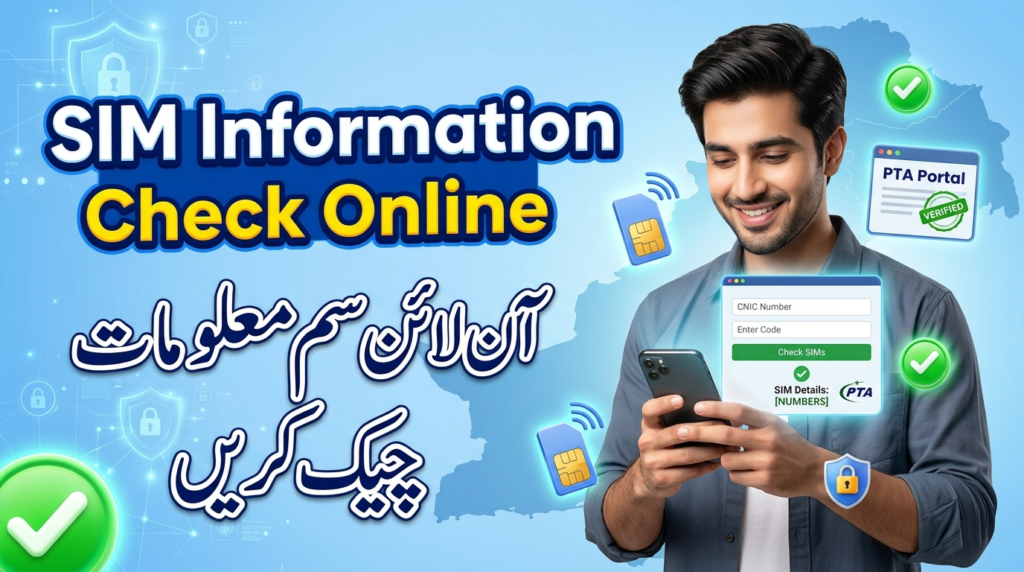
Check SIM Information Using CNIC
Check SIM Information via SMS (668)
Checking SIM Information via SMS is the official government system. It allows people to check the SIM for all details and verify biometric data. This system is officially linked with the PTA and NADRA to verify the CNIC.
- Open your mobile message app.
- Enter your CNIC
- Send to 668
You will receive all the information about SIMs registered on your CNIC.
Check SIM Information by Online Portal
- Go to the portal https://consumer.pta.gov.pk/
- Click on verify your SIM or CNIC
- Enter your CNIC
- Enter the captcha
- Click the Submit
All the information about your SIMs will be displayed in front of you.
Read More: Transfer SIM Ownership in Pakistan
How the SIM Verification System Works in Pakistan
Role of PTA
Pakistan Telecommunication Authority checks that the mobile network and internet service are working properly, and following all the rules or not. It controls SIM registration and blocks illegal SIMs to avoid any spam. It makes communication services safe and reliable.
Biometric SIM Verification Pakistan
This system checks that the SIM is registered to the correct person. When you buy a new SIM, your fingerprints are verified through your CNIC to confirm your identity. This system helps to avoid any fraud.
NADRA SIM verification
When you buy a new SIM, your data is verified from the NADRA to make sure that your CNIC is correct and the SIM is registered to the correct person. Overall,l this process makes the system secure from any fraud.
Read More: Check Telenor Number by CNIC
Checking SIM Owner Details is Legal or not.
Check SIM Information of an Unknown Number
Caller Identification Apps
If someone calls you from an unknown number,r you can check the number details by means of. Some call identification apps help to check the information of the SIM.
Popular Caller ID Apps in Pakistan:
Truecaller: Shows caller name, spam alerts, and network information.
Hiya: Identifies unknown callers and blocks spam numbers.
Sync.ME: Provides caller info and reverse lookup services.
Benefits of SIM Verification
Verification of your SIM is very important to keep all the data safe. By using the official methods such as the PTA SIM Information Portal, 668 service, and the mobile apps, many advantages are given:
- Protect the personal data
- Make safe from any fraud
- Check how many SIMs are registered on your CNIC
- It’s to make sure that you are following the PTA and the NADRA rules.
- It helps to block any unauthorized SIMs.
Block or Report a SIM in Pakistan
Blocking Lost or Stolen SIM
If your SIM is stolen or misused, then you can protect your personal data by blocking the SIM. Pakistan Telecommunication Authority (PTA) provides official channels to block or report SIMs legally.
PTA Complaint System
You can complain to the Pakistan Telecommunication Authority to solve any issue related to your SIM or mobile network.
- Go to the official portal of PTA
- Select the file complaint
- Enter your details
- Give the information about your SIM
- Submit the complaint
More: PAK SIM BIO – Check SIM Owner Details & CNIC Verification
Common Issues and Their Solutions
SIM Data Not Showing
If your SIM information is not displayed on the official portal, mobile apps, or SMS 668. It’s due to many issues, such as network problem failed biometric verification. You can solve this issue by:
- You should wait and try again after some time due to the network issue
- Ensure your SIM is properly linked with NADRA biometric verification if required.
- Go to your network provider to confirm SIM activation.
- If the issue persists, file a complaint via the PTA Consumer Portal.
Incorrect Information
Sometimes, when you check your SIM information, the incorrect data is shown in front of you. You can solve this issue by:
- Go to the mobile network operator to correct your information
- Open the PTA portal to correct all your information
- Make sure that biometric verification matches the records to avoid errors
Conclusion
You can check your SIM information by sending your CNIC to 668, and you will get all the information about your SIM. If you face any problem, you can file a complaint on the PTA official portal. If your SIM is stolen or misused, then block your SIM immediately to keep all the data safe. You should verify your SIM to protect your personal information.
FAQs
What is PTA?
Pakistan Telecommunication Authority checks that the mobile network and internet service are working properly or not. It controls SIM registration. It makes communication services safe and reliable.
What is the SMS code to check the SIM details?
668 is the official government code that allows you to check the SIM Information system.
How can I file a complaint in PTA?
You can file a complaint in PTA on the official portal of the Pakistan Telecommunication Authority by providing all your SIM details.
Why is my SIM data not showing on the official portal?
It can be due to many reasons, such as network issues and failed biometric verification from NADRA.